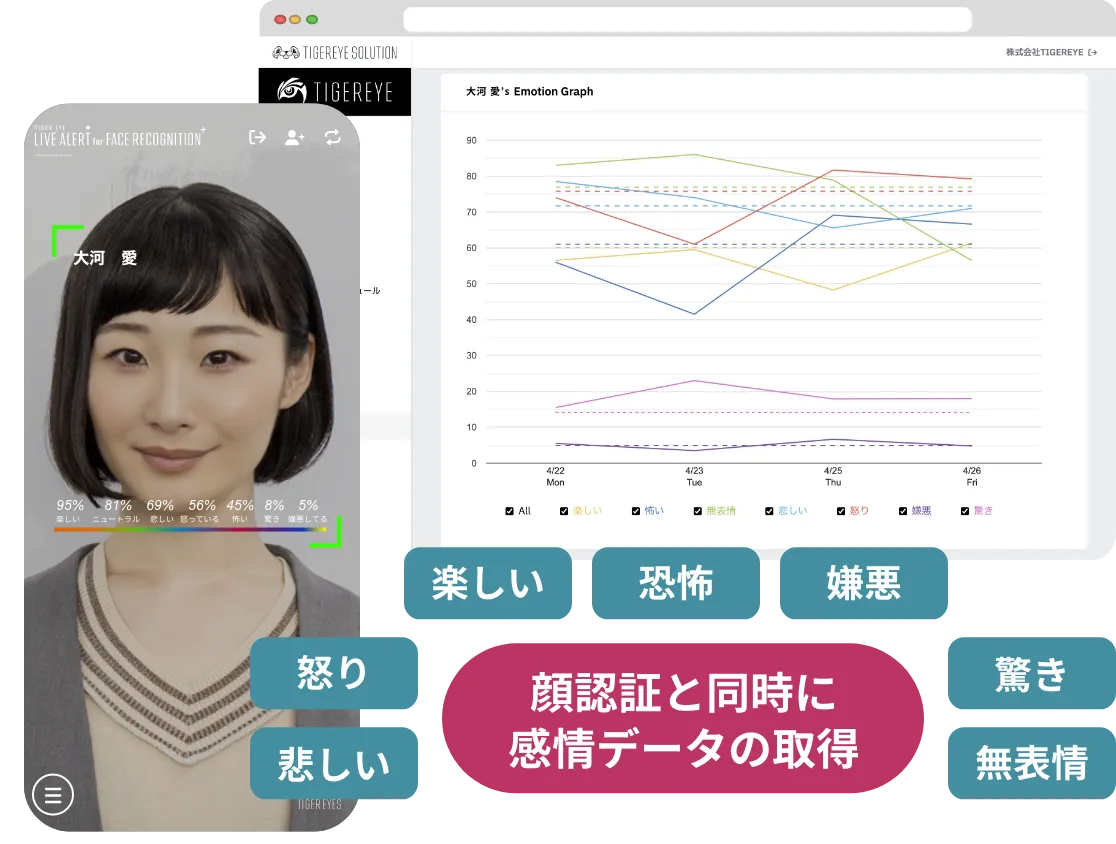

AI Avatar Stress Checker

Analyzes employees' emotions in real time, with an AI avatar supporting the conversation.
At the same time as face recognition at clock-in and clock-out, it analyzes emotional states from facial expressions with high accuracy.
Based on the results, the AI avatar launches automatically only when needed and gently talks to the user.

Run stress checks flexibly to fit how people work

Administrators can send stress check requests to employees by email or QR code.

01

Integration with Corporate Attendance Management

Scans emotions through face recognition at clock-in and clock-out and provides appropriate support.

02

Stress Care for Remote Work

Emotion analysis and advice are available even while working from home.

03

Mental Health Support in Education

Understands the stress levels of students, faculty, and staff, helping improve the environment.

Combining face recognition, emotion analysis, and physician-supervised dialogue flows

  • Face recognition + emotion AINaturally captures emotional data through face recognition and objectively visualizes unconscious stress states.
  • Dialogue with the AI avatarBased on the captured emotional state, the AI avatar adapts the conversation to the situation and naturally supports the stress check.
  • Effortlessly higher response ratesLinked to the clock-in and clock-out flow, the system automatically prompts employees to take the stress check, preventing missed responses.
  • AI-generated findings and recommended actionsBased on emotional data and conversation content, the AI generates findings and presents concrete actions such as continued monitoring or a recommended one-on-one.
  • Surfacing hidden high-stress individualsDetects, through emotion analysis, latent high-stress individuals who are hard to identify via self-reporting, enabling early follow-up.
  • Real-time analysis and automatic notificationsMonitors changes in employees on a weekly and monthly basis, and automatically generates reports for administrators.
  • Flexible requests from administratorsGuide employees to the stress check at any time by email or QR code.
  • Physician-supervised dialogue designUp to 100 questions plus free conversation, compliant with the 57-item questionnaire of Japan's Ministry of Health, Labour and Welfare.
  • Relaxation suggestions from generative AIUses voice to suggest meditation, breathing exercises, and rest.

Turning emotional changes into reports for employees and administrators

01

Emotion Analysis × Automated Reports

Creates personalized reports from emotion graphs based on emotion estimation. The reports are emailed to the employees themselves, or to administrators, occupational physicians, and others.

02
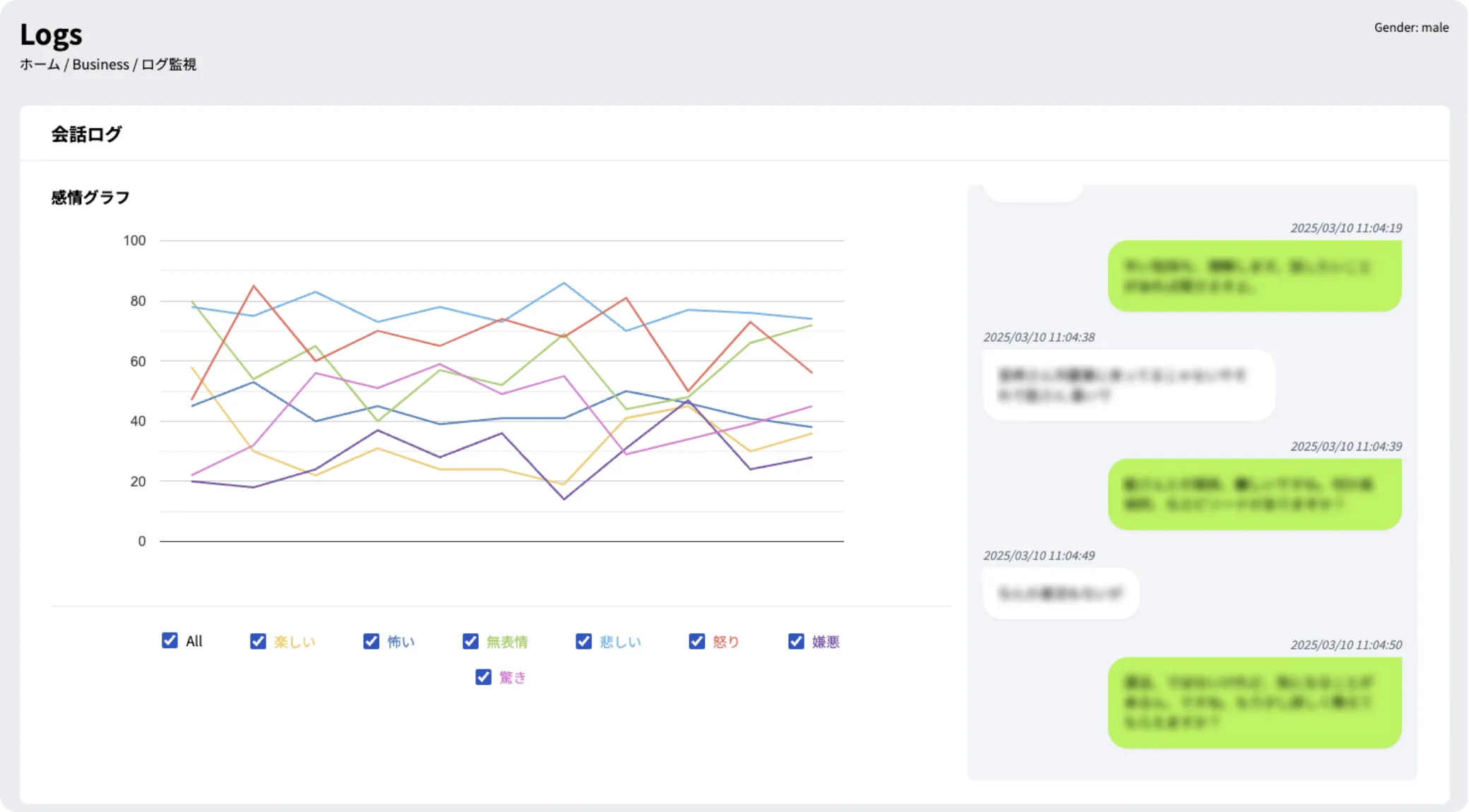
Analytics Dashboard

Visualizes stress trends by department and time of day, and helps formulate improvement measures. Displays each individual's stress trend in a graph, and data can also be aggregated by team.

03
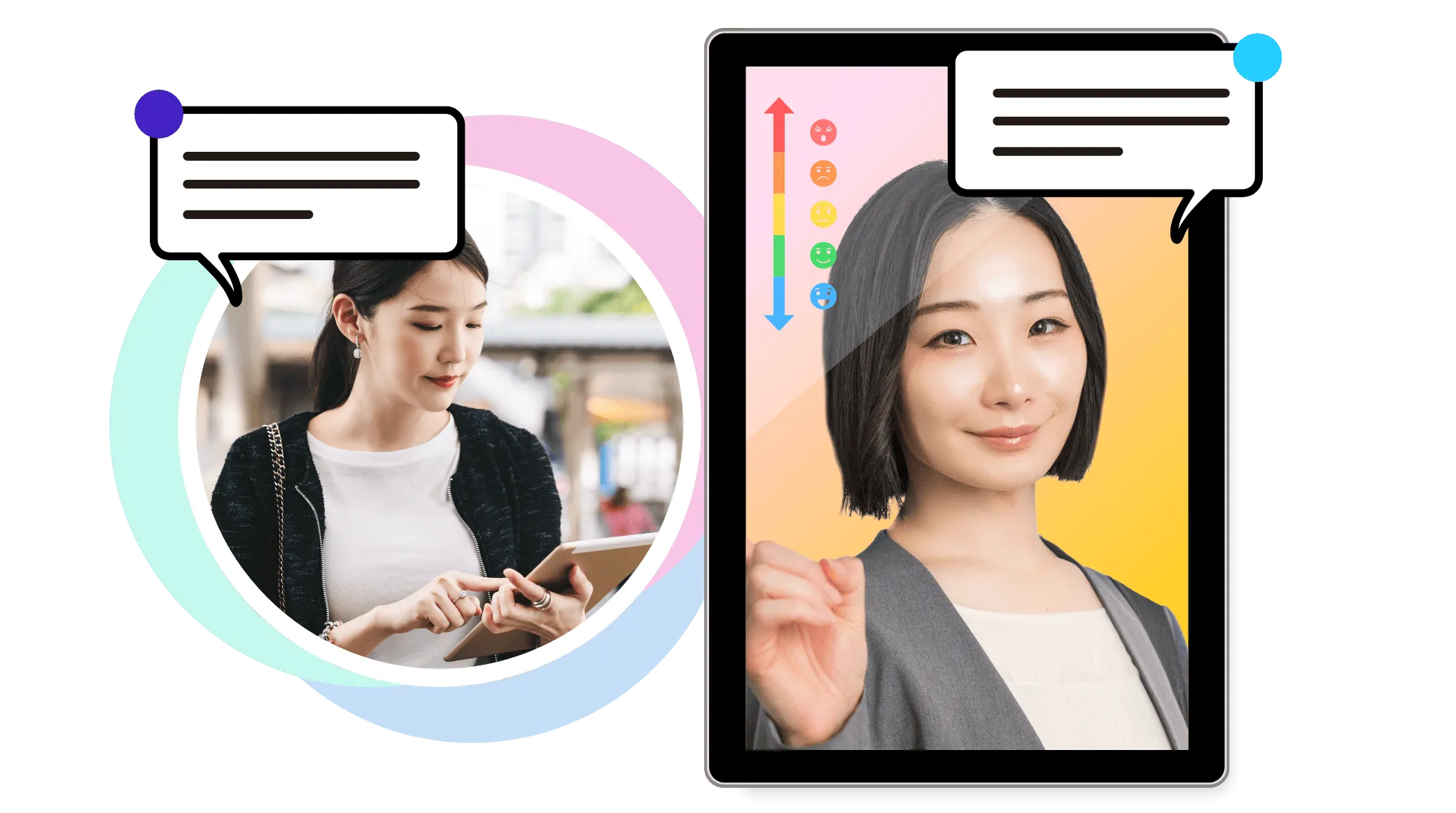
Caring Support from an AI Avatar

An avatar powered by cutting-edge generative AI technology offers natural conversation tailored to the user's emotional state. It supports employees who feel stressed, offering appropriate advice and relaxation methods.

Emotion analysis technology

  • Basic emotion detectionDetects 7 basic emotions (joy, anger, sadness, surprise, fear, disgust, neutral).
  • Stress level estimationEstimates stress levels from subtle changes in facial expressions.
  • Personal baselineEvaluates each person relative to their own baseline.
  • Secure processingProcesses data securely, with privacy in mind.

The AI avatar speaks up only when needed

Watches over employees' physical and mental condition and gently reaches out when needed.

  1. Initial registrationRegister the user's facial information and baseline emotion scores. This can be configured from TIGEREYE's secure admin console.
  2. Stress check at clock-in and clock-outFace recognition is performed at clock-in and clock-out. Stress scores are analyzed in real time from facial expressions and compared against baseline values. Users can also skip the check.
  3. The AI avatar activates when a threshold is exceededWhen the emotion score exceeds a certain threshold, the AI avatar automatically launches and begins a conversation. It speaks to the user according to their condition (e.g., "You seem a little tired lately. Shall we take a deep breath together?").
  4. A dialogue session of about 5 minutesAs the user answers free-response and multiple-choice questions, the causes of stress are made visible. When needed, it also suggests breathing techniques and relaxation content.
  5. Administrators are also notified (optional setting)If stress levels remain above a certain level over time, an alert is sent to administrators. This visualizes the health of the entire team and leads to workplace improvements.
  6. Monthly checks also run automaticallyBeyond clock-in and clock-out, a monthly follow-up session is launched automatically to track stress trends continuously.
  7. Check the status on the dashboardDisplays each individual's stress trend in a graph. Data can also be aggregated by team, supporting the well-being of the entire workplace.

Start by telling us about the challenges you want to solve with AI

Toward workplaces where AI is simply part of everyday work.

Discuss Your Challenges