
SecureEdge LLM & Voice Assist

Nothing leaves the device. That's why you can trust it.

Recording, transcription, and summarization are all completed on your smartphone.
A fully offline AI meeting-notes app with zero telemetry.
Bring "AI you're allowed to use" to work, without worrying about networks or data costs.

* Currently in beta.

  • Fully Offline
  • Zero Telemetry
  • Local LLM (Qwen)
  • Privacy-First
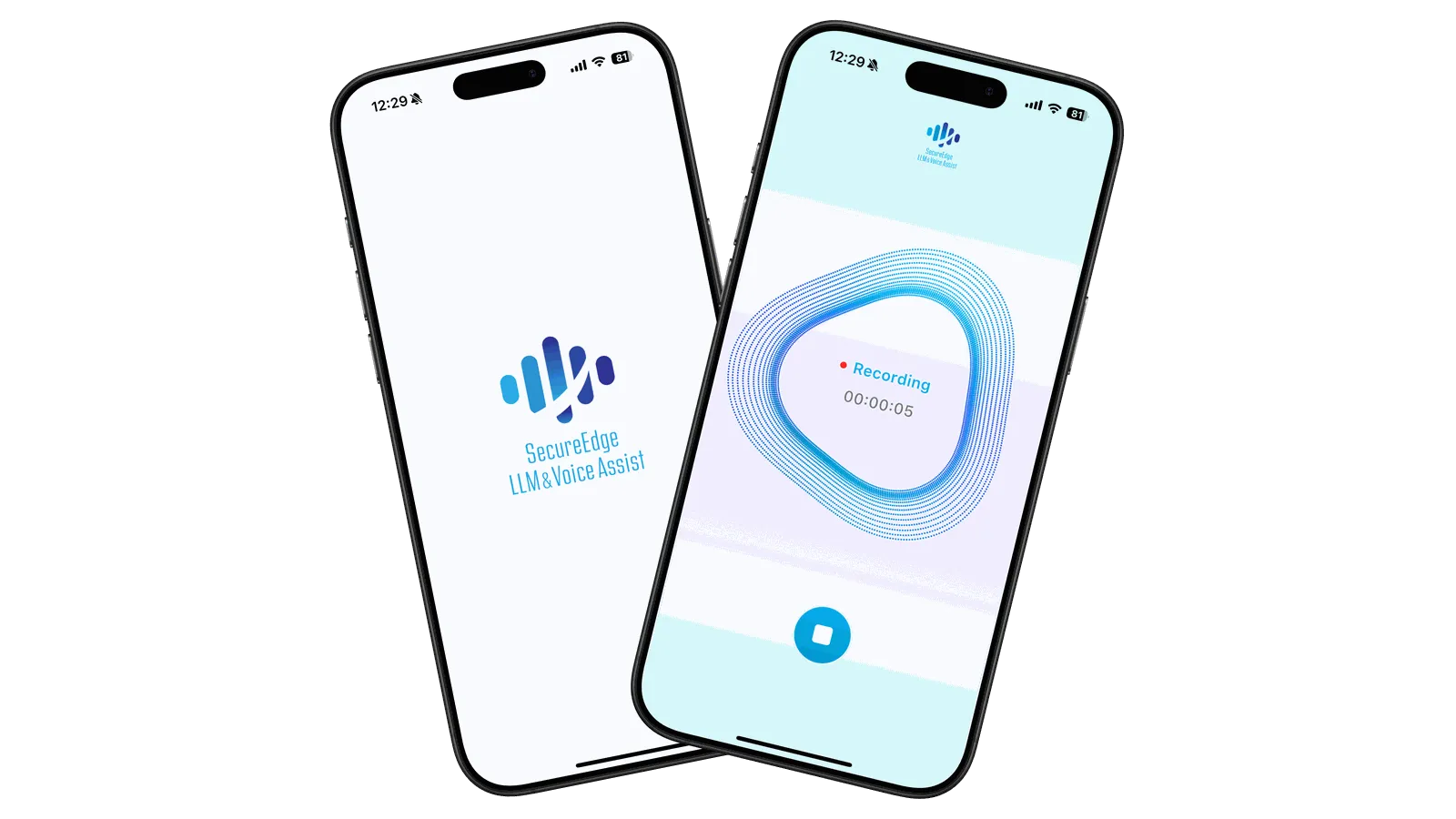
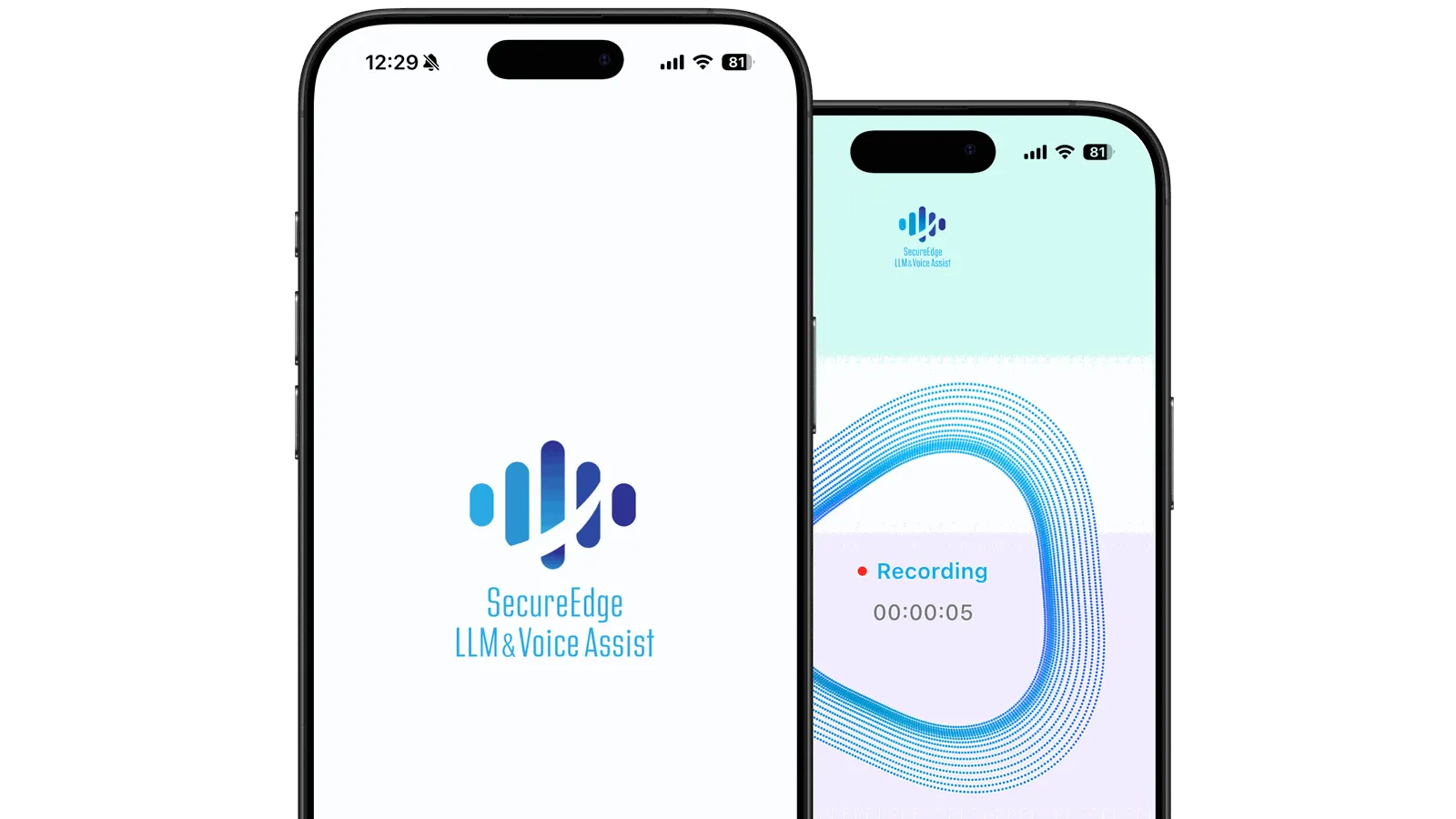
Screens of the SecureEdge LLM & Voice Assist app, showing the logo screen and the recording screen

Everything from recording to summarization happens on the device

Recording
One-tap recording, waveform display, and auto-record settings. Supports background recording
Transcription
Speech-to-text conversion via local speech recognition (STT). Optimized for Japanese
Summarization
Bullet-point summaries using the local LLM "Qwen," with custom prompt support
Local LLM
Paste text or enter a prompt in the input field, and inference runs on the device (e.g., translation into English)
Security
Fully offline processing, no external communication, no telemetry

Why you need AI that keeps data on the device

In recent years, AI recording, transcription, and summarization have spread rapidly.
At the same time, problems involving privacy violations and information leaks have been reported in many places.
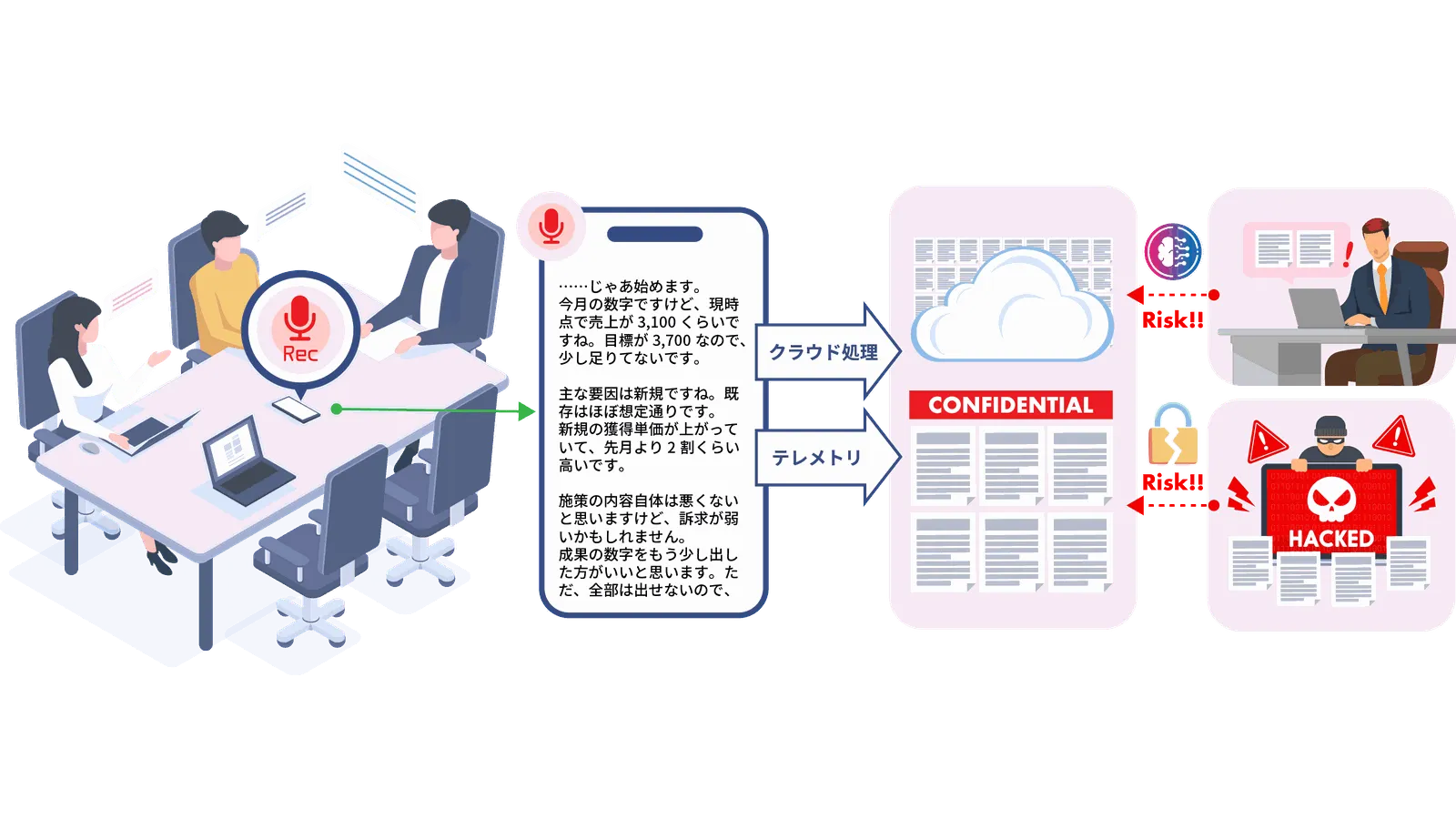
In many cases, the cause is not AI itself, but a design that assumes the cloud.

External transmission and storage
Audio and transcripts are sent to and stored in the cloud, widening the scope that must be managed.
Unintended recording
Operational mistakes can lead to serious incidents, such as conversations after a meeting ends being recorded and transcribed.
Concerns over training and sharing
Depending on settings and terms, data may be used for training or shared.
Burden of accountability
Being unable to explain where data is processed and stored becomes a barrier to adoption.

AI should be safe before it is convenient

With these risks in mind, SecureEdge is designed to keep data on the device from the start.

Illustration of a meeting, showing how recorded content sent to the cloud can lead to risks such as information leaks

No telemetry and fully local operation

SecureEdge LLM & Voice Assist is designed with safety as its top priority.
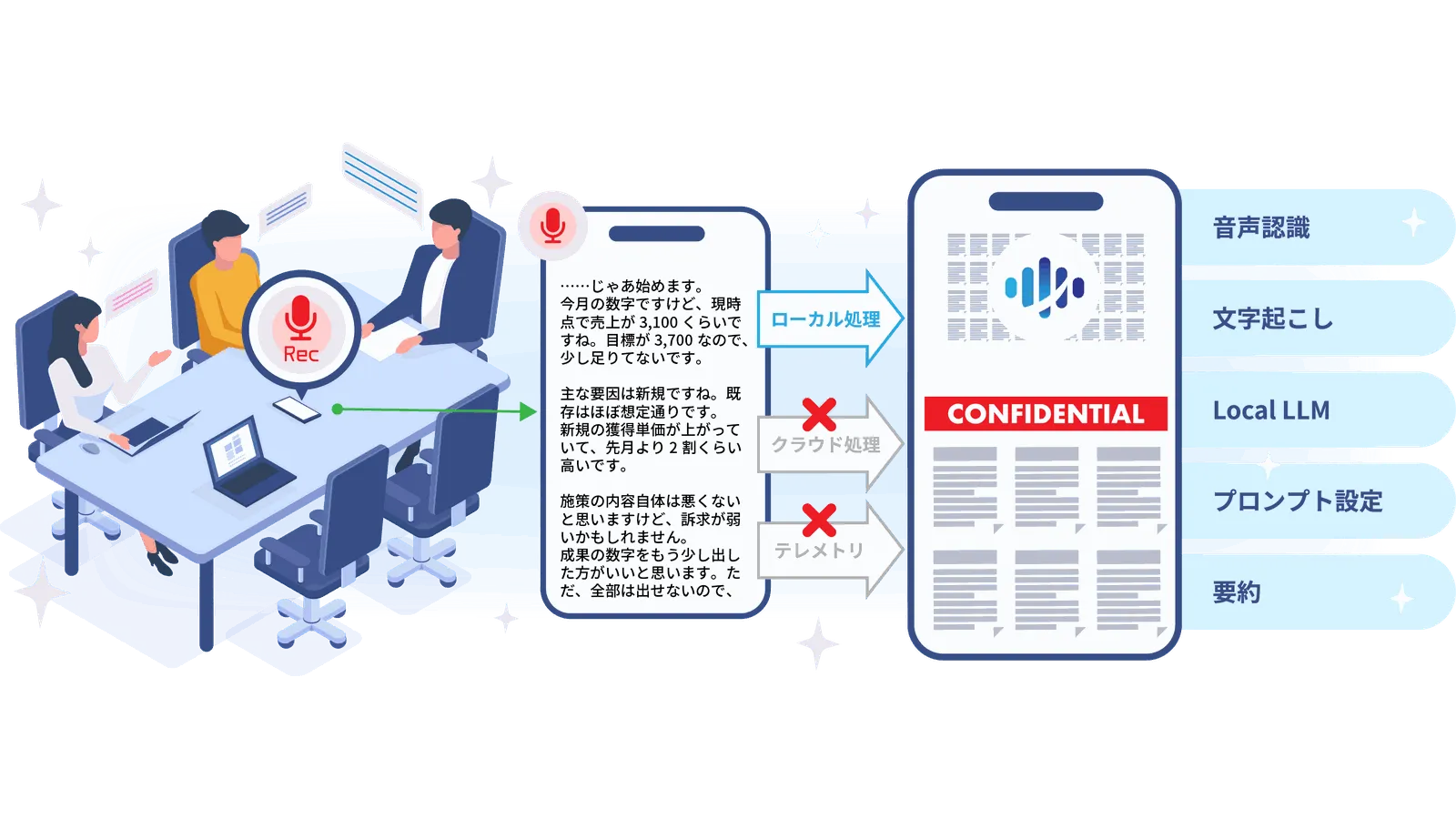
By eliminating telemetry and cloud integration, it achieves fully local operation
with no external communication at all, from launch to exit.
It is an AI assistant built on the premise that confidential information and privacy never leave the device.

Diagram showing meeting recording, transcription, and summarization done only on the device, with nothing sent to the cloud or as telemetry

Technical design for fully local operation

Integrates a local LLM and speech recognition into a processing platform that requires no network connection.

  1. Local LLMSummarizes on the device. No cloud connection.
  2. Local Speech-to-TextRecording and transcription are also processed offline.
  3. Zero TelemetryNo usage data, audio, or text is sent.
  4. On-Device OnlyNo server or VPN needed. Just install it.
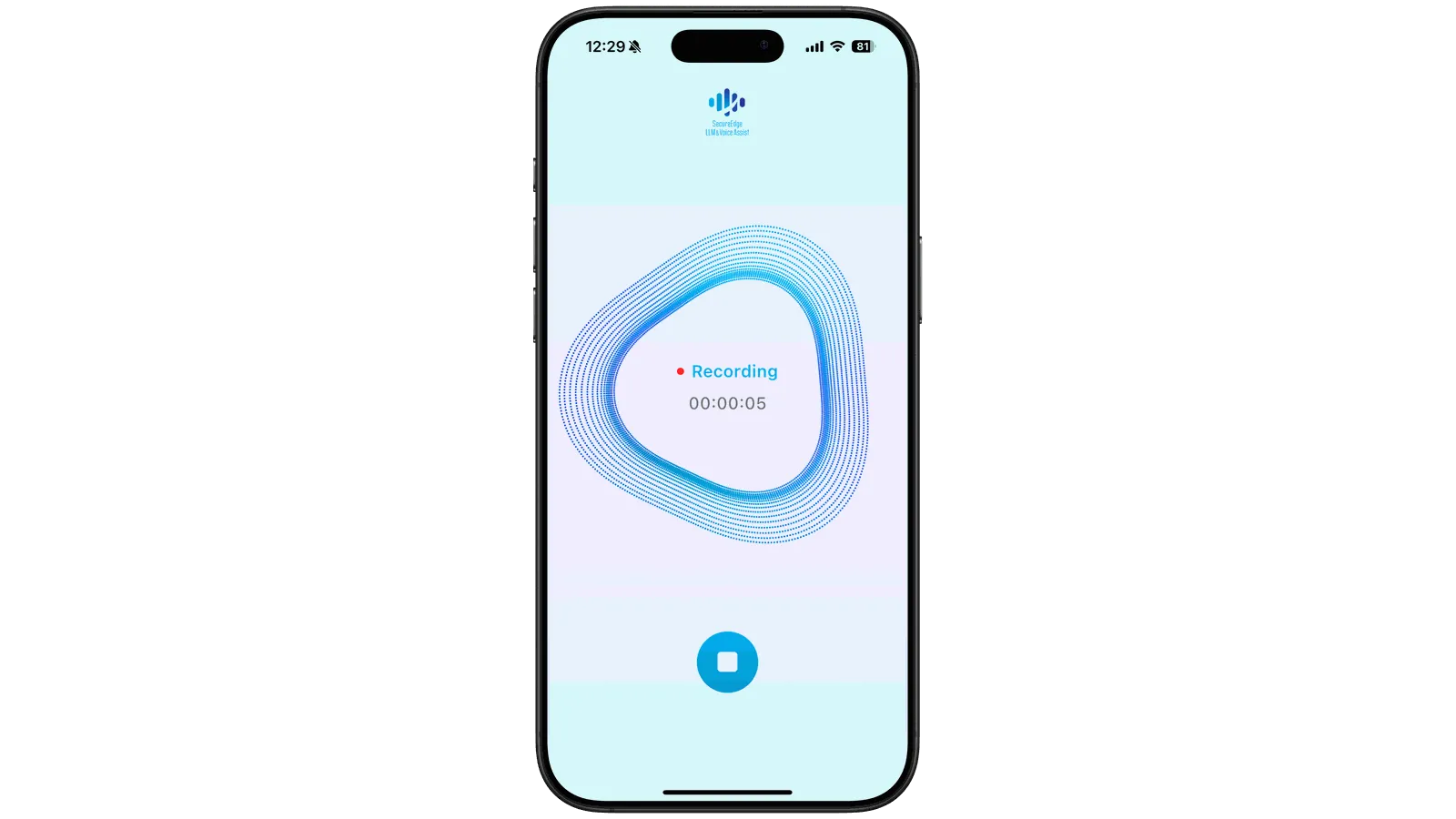
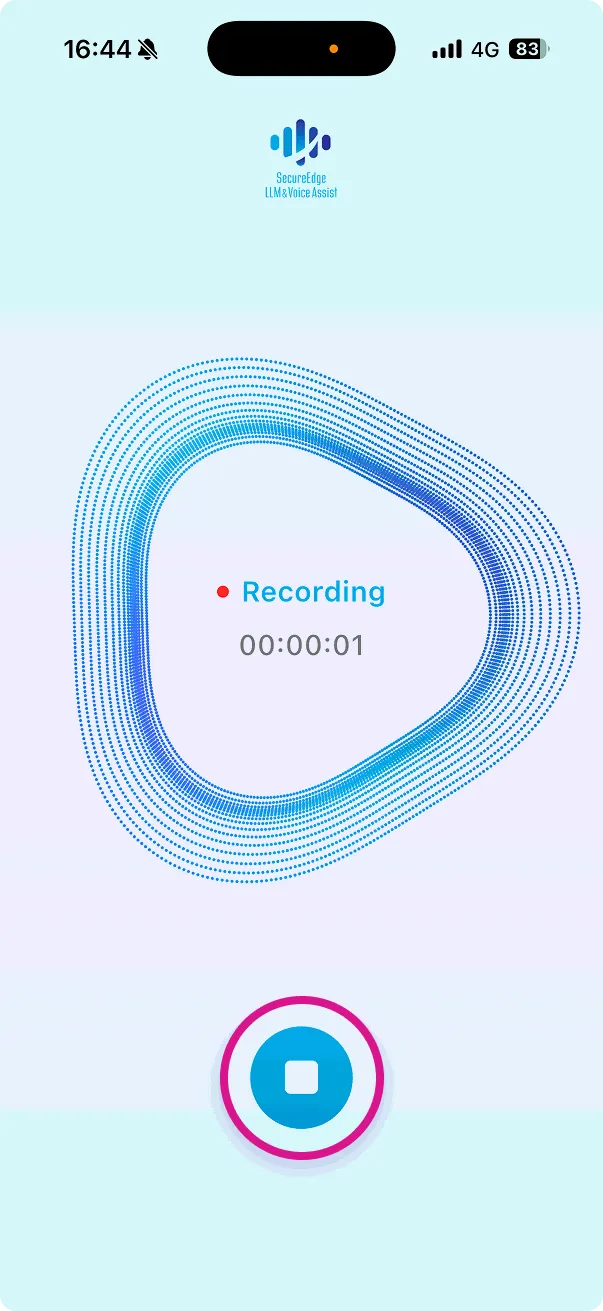
The SecureEdge recording screen

Incidents that have actually occurred

AI-generated meeting notes are highly convenient,
but information management issues stemming from cloud-based design have also been reported.
The following are generalized versions of incidents that have drawn real concern in recent years.

Case 1: Meeting data recorded with public settings left on

Cases have been reported in which recording and transcription features were used while online meeting visibility settings and access controls were inadequate, allowing third parties to intrude on meetings or to view meeting notes through shared links.
The problem: Records remain in the cloud, so they can be shared more widely than intended

Case 2: Conversations recorded automatically even after a meeting ended

In some cases, automatic recording did not stop after participants left, and informal conversations that should never have been shared were recorded, transcribed, and sent to the people involved.
The problem: Automation blurs the boundary of where a meeting ends

Case 3: Recording and transcription without sufficient consent

In one case that drew criticism, the meeting organizer knew about the recording, but recording and transcription were carried out without sufficient explanation to external participants and guests.
The problem: It is difficult to explain the recording to every participant and obtain their consent

Case 4: Storage and secondary use of meeting data

Cases have been reported in which recordings and transcripts were stored in the cloud for long periods, and it later became an issue that, depending on settings and terms, they could be used for training or shared.
The problem: Retention periods and scope of use are hard to keep track of

Case 5: Legal issues over the handling of voice data

In some cases, how meeting audio was stored and used drew criticism, because depending on the region and legal system, it may be treated as biometric information.
The problem: How the risk is interpreted varies by jurisdiction

SecureEdge LLM & Voice Assist is designed with these incidents in mind, so that data never leaves the device in the first place.

Adopt with confidence: four benefits

  1. Fully offline operationAll features work even without an internet connection
  2. Complete privacy protectionRecording, transcription, and summary data all remain on the device
  3. Use in restricted network environmentsCan be adopted with confidence even at enterprises and medical institutions with strict security policies
  4. Zero data costsUses no mobile data at all, so there are no data charges to worry about
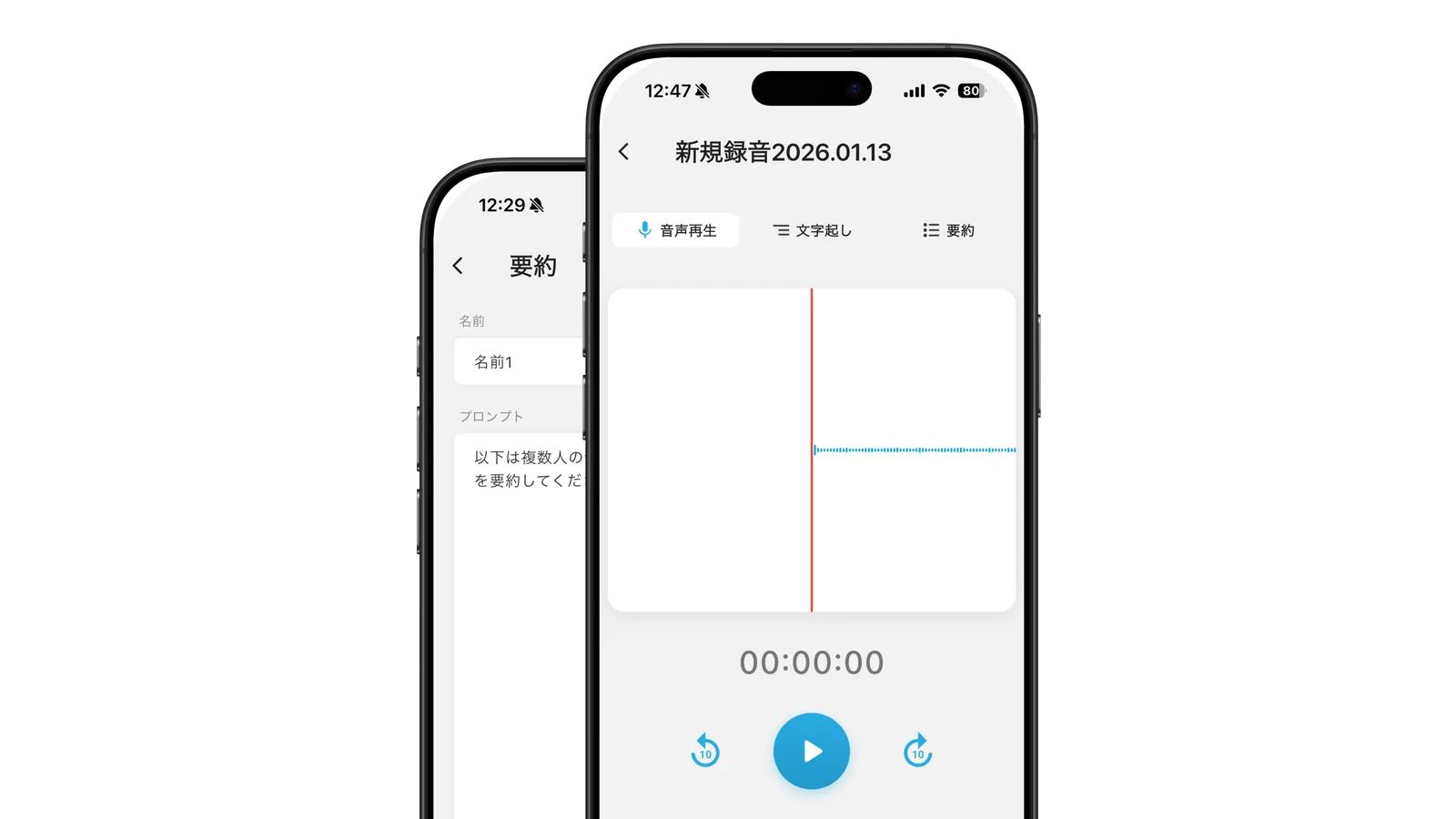
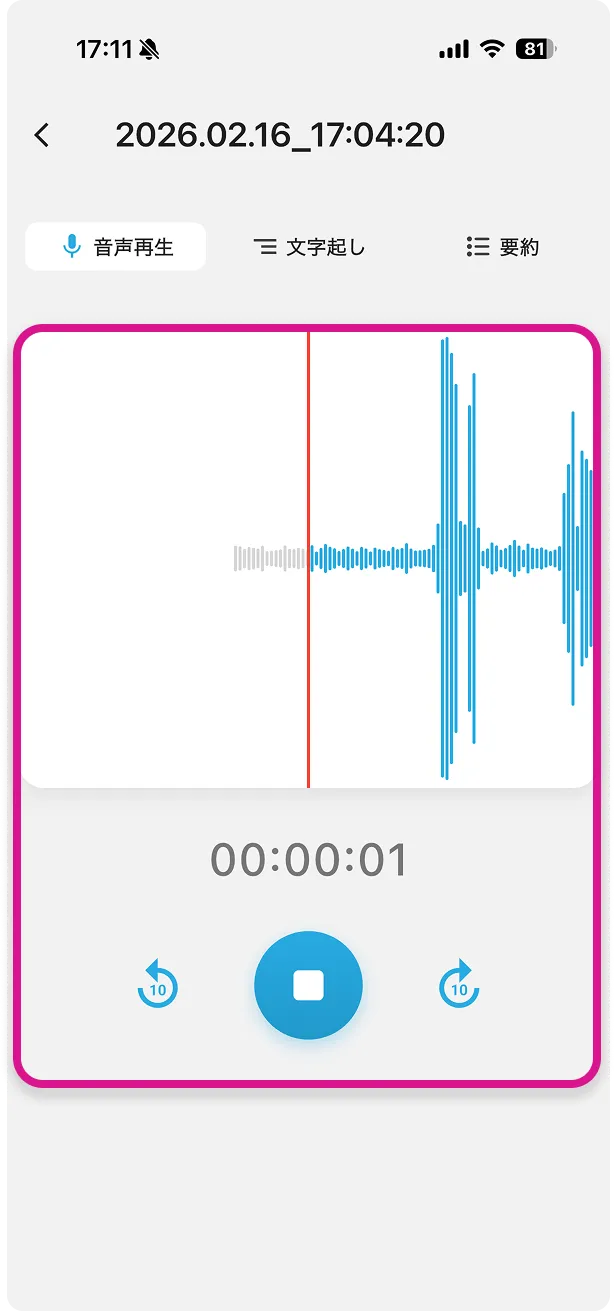
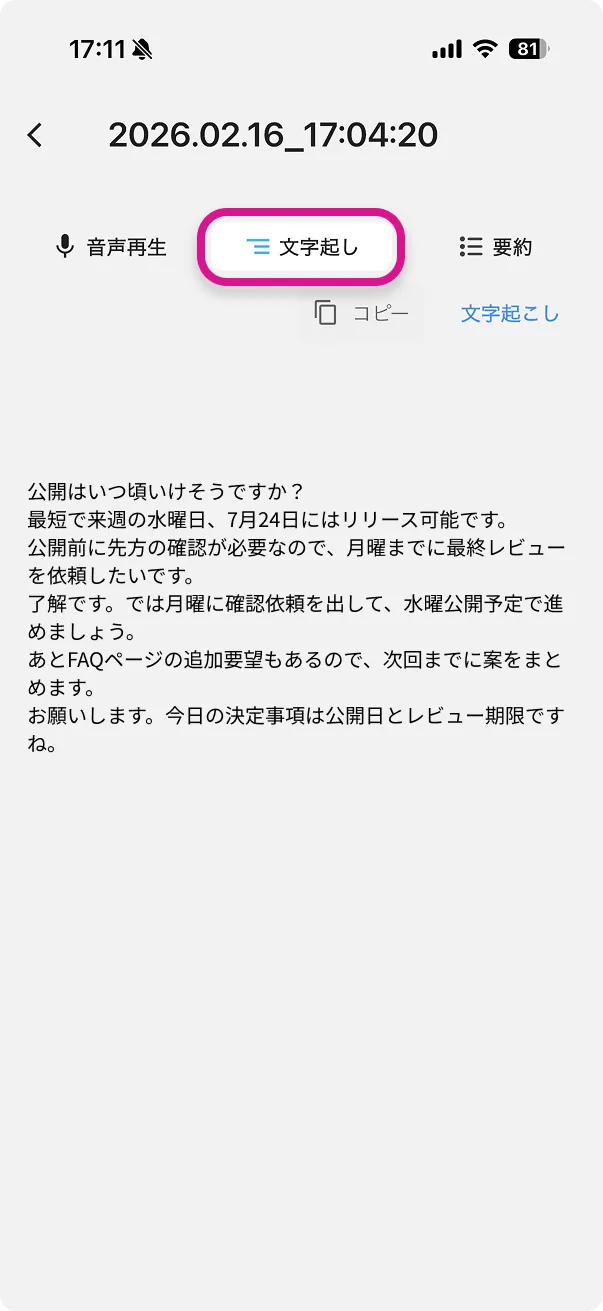
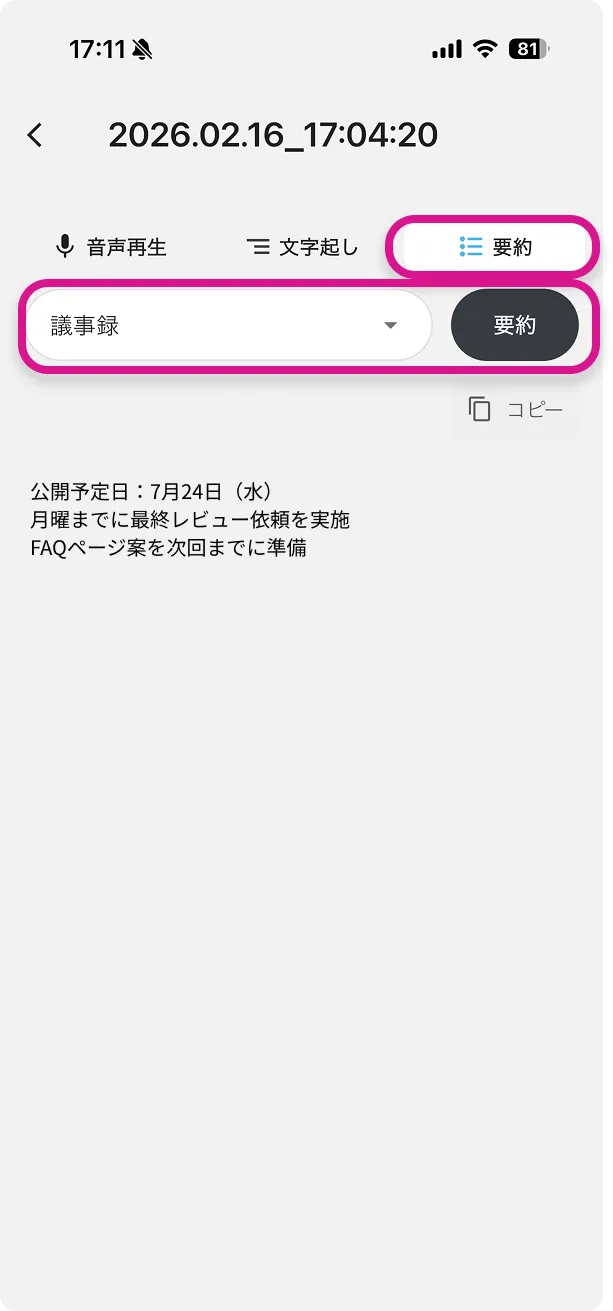
SecureEdge screens showing the details of a recording (audio playback, transcription, and summary tabs) and the summary settings

Upcoming updates

  1. Industry-specific templates
  2. Multilingual support
  3. Expansion of the SecureEdge LLM & Voice Assist series
  4. External system integration designed for local use
SecureEdge screens showing the logo screen and the recording screen

For situations that call for "AI you're allowed to use"

AI you can use with confidence, even in environments with strict regulations and information management requirements.

Business
Notes for meetings and business negotiations
Secure records of confidential meetings
Healthcare and nursing care
Clinical records and informed consent support
Home-visit medical care and offline environments
Restricted network environments
Government agencies and research institutions
Manufacturing and development sites
Overseas business trips

Recorded, but never sent out. That's why you can use it with confidence. * Downloading the initial model requires network communication.

Tutorial

How to create meeting notes

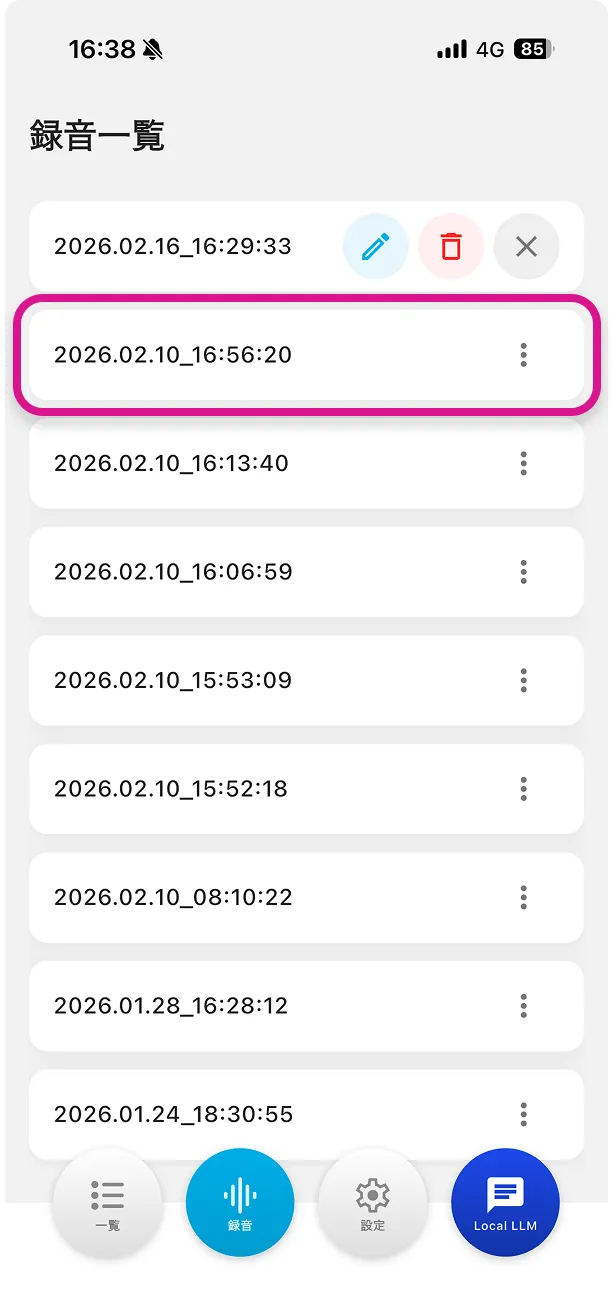
  1. Recording screen

    Record

    Recording starts automatically at launch (if this is turned off, tap "Record" in the bottom menu).
    Tap the square icon to stop.

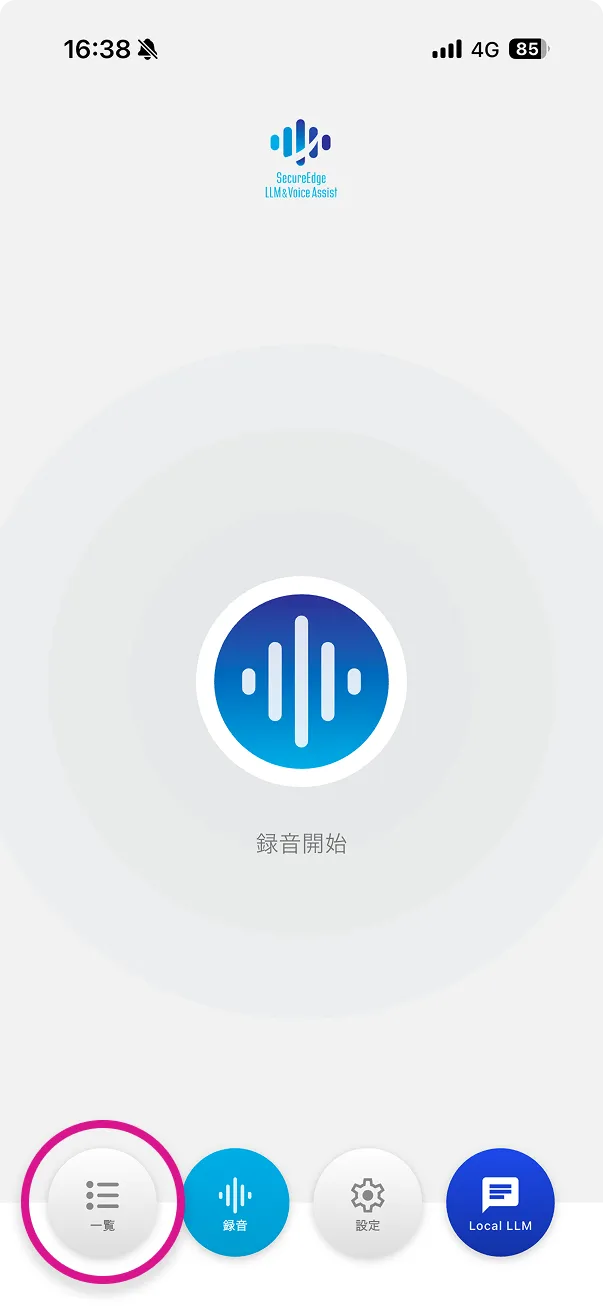
  2. List screen

    Check recordings (list)

    Tap "List" in the bottom menu.

  3. Recording list screen

    Check recordings (recording list)

    Tap a recording in the list.

  4. Audio playback screen

    Check recordings (audio playback)

    You can play back the recorded audio.

  5. Transcription screen

    Check recordings (transcription)

    Open the "Transcription" tab to see the text.

  6. Summary tab screen

    Summarize

    Open the "Summary" tab on the same detail screen, select "Meeting notes," and tap the summarize button.
    The summary is generated based on the configured summary prompt.

How to use the local LLM

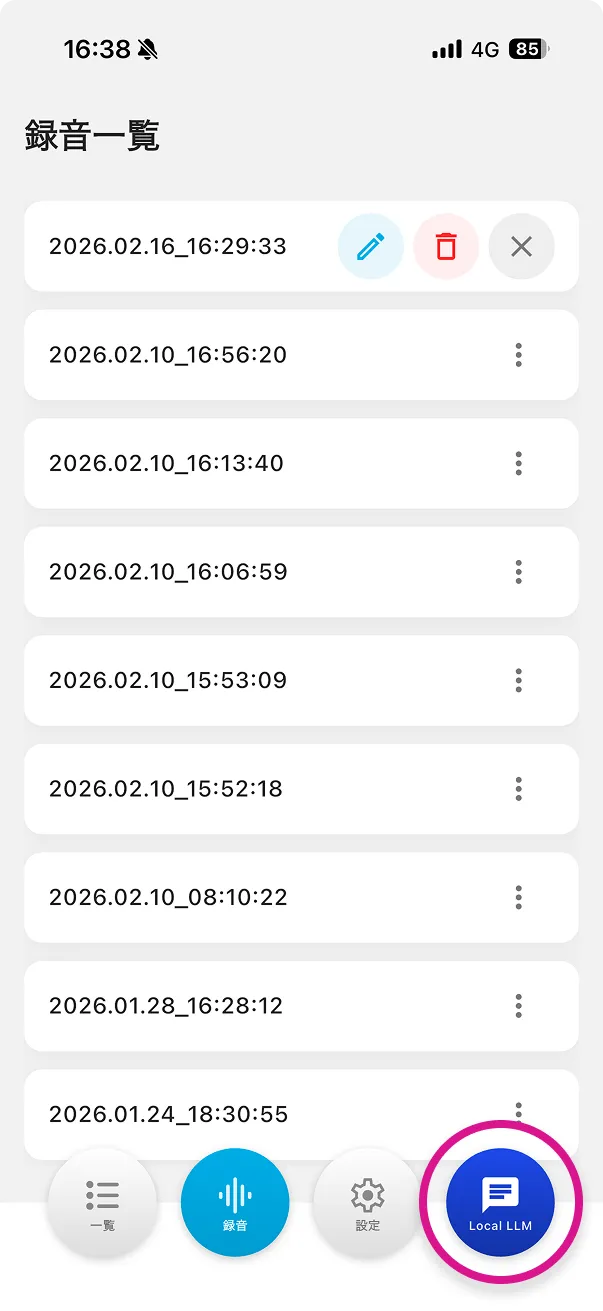
  1. The recording list screen, with the Local LLM button at the bottom outlined

    Open the screen

    Tap the Local LLM button.

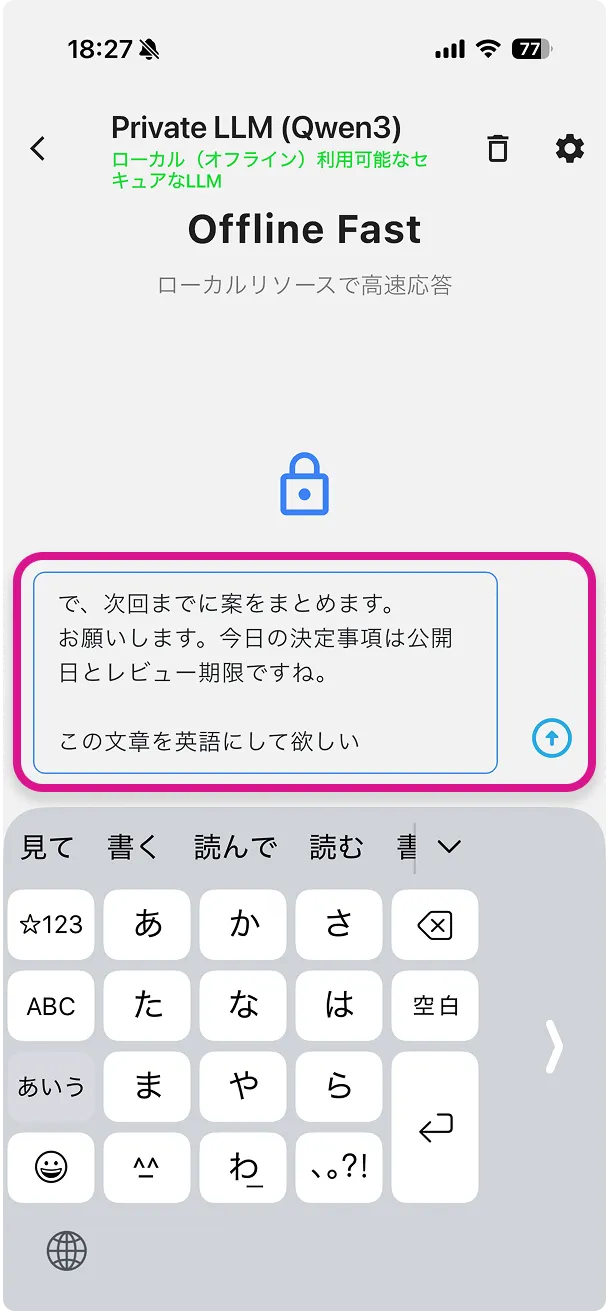
  2. The prompt input screen

    Enter a prompt

    You can paste text or enter a prompt in the input field.

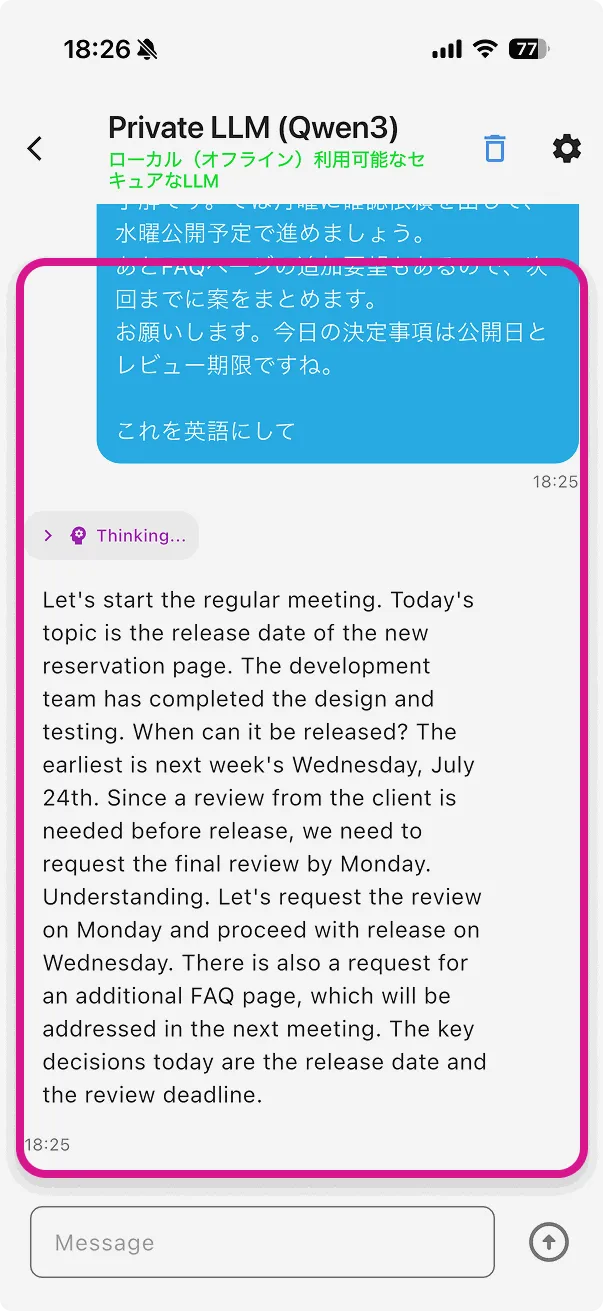
  3. The screen after running a prompt, showing the result

    Run the prompt

    Press the run button to start inference in the local environment (e.g., translation into English).

For organizations considering business use or our technology

This app runs fully offline, but we also support building systems that use TIGEREYE's technology.
We propose environments for using your data, tailored to your security policy, including cloud integration, integration into internal systems, and API use.

Contact

Download

Available on the App Store. For questions about adoption or business use, please contact us.

* Currently in beta.

Download on the App Store

Start by telling us about the challenges you want to solve with AI

Toward workplaces where AI is simply part of everyday work.

Discuss Your Challenges